



测试标签 4.1.0+
允许你在测试用例上添加 标签,在必要时可以使用标签进行过滤测试,或覆盖测试配置。
Why tags
Tags become useful once a suite has groups of tests that share runner options, like a longer timeout for database queries or retries for integration tests on CI. Repeating those options on every relevant test by hand is brittle, and the categories often don't line up with file paths anyway, so splitting them out by file isn't an option. Flaky tests in particular tend to accumulate wherever the bugs landed, not in a flaky/ folder.
A tag captures that kind of category: the definition holds the shared options, and any test marked with the tag inherits them. Those tag names can also be combined into expressions: --tags-filter='db && !flaky' runs database tests that aren't marked flaky. TestRunner.matchesTags exposes the same expression at runtime, useful when globalSetup does expensive work that should be skipped if no tagged tests are scheduled.
When to reach for tags
| If you want to… | Use |
|---|---|
| Apply timeout/retry to a category of tests | Tags |
Mark cross-cutting categories (flaky, slow, frontend) scattered across many files | Tags |
| Conditionally run expensive setup based on what's filtered | Tags + matchesTags |
| Run a subset by test name match | -t / testNamePattern |
| Run a subset by file path | --include / --exclude |
| Run different files with different runner settings (isolation, pool, environment) | Test Projects |
You can combine projects and tags. A test that sits in a Sequential project can also carry a flaky tag, and Vitest applies both.
定义标签
Vitest 并未提供任何的内置标签,在默认情况下,标签必须在配置文件中提前进行定义。如果在测试中使用了未在配置文件中定义的标签,测试运行器将会抛出错误。这一行为可以防止因标签名称拼写错误而导致的意外行为。当然你可以修改 strictTags 选项进行禁用。
在标签定义时至少必须包含 name 参数,与此同时你还可以定义其他配置参数如 timeout 或 retry,这些配置参数将应用于使用该标签的所有测试。完整的可用配置参数,参见 tags。
import { defineConfig } from 'vitest/config'

export default defineConfig({
  test: {
    tags: [
      {
        name: 'frontend',
        description: 'Tests written for frontend.',
      },
      {
        name: 'backend',
        description: 'Tests written for backend.',
      },
      {
        name: 'db',
        description: 'Tests for database queries.',
        timeout: 60_000,
      },
      {
        name: 'flaky',
        description: 'Flaky CI tests.',
        retry: process.env.CI ? 3 : 0,
        timeout: 30_000,
        priority: 1,
      },
    ],
  },
})
如果你正在使用 TypeScript,可以扩展 TestTags 类型添加一个包含字符串的联合类型来限定的标签可用范围,请确保该文件被包含在 tsconfig 中:
import 'vitest'

declare module 'vitest' {
  interface TestTags {
    tags:
      | 'frontend'
      | 'backend'
      | 'db'
      | 'flaky'
  }
}
要查看所有可用的标签,可使用 --list-tags 命令:
vitest --list-tags

frontend: Tests written for frontend.
backend: Tests written for backend.
db: Tests for database queries.
flaky: Flaky CI tests.
如果需要以 JSON 格式输出,传入 --list-tags=json 参数:
{
  "tags": [
    {
      "name": "frontend",
      "description": "Tests written for frontend."
    },
    {
      "name": "backend",
      "description": "Tests written for backend."
    },
    {
      "name": "db",
      "description": "Tests for database queries.",
      "timeout": 60000
    },
    {
      "name": "flaky",
      "description": "Flaky CI tests.",
      "retry": 0,
      "timeout": 30000,
      "priority": 1
    }
  ],
  "projects": []
}
Resolving option conflicts
如果多个标签具有相同配置项且应用于同一个测试时,将按从上至下的顺序解析,或按优先级排序解析(数值越低,优先级越高)。未定义优先级的标签会先合并,随后被优先级更高的标签覆盖。
test('flaky database test', { tags: ['flaky', 'db'] })
// { timeout: 30_000, retry: 3 }
注意此时的 timeout 是 30 秒而不是 60 秒,因为 flaky 标签的优先级为 1,而定义了 60 秒超时的 db 标签未设置优先级。
如果在当前测试上直接定义,则测试配置项优先级最高:
test('flaky database test', { tags: ['flaky', 'db'], timeout: 120_000 })
// { timeout: 120_000, retry: 3 }
在测试中使用标签
可以通过 tags 参数 为单个测试用例或整个测试套件添加标签
import { describe, test } from 'vitest'

test('renders homepage', { tags: ['frontend'] }, () => {
  // ...
})

describe('API endpoints', { tags: ['backend'] }, () => {
  test('returns user data', () => {
    // 此测试会继承父级测试套件的 "backend" 标签
  })

  test('validates input', { tags: ['validation'] }, () => {
    // 此测试同时拥有 "backend"(继承)和 "validation" 标签
  })
})
标签会从父级测试套件中继承下来,因此所有位于已标记 describe 代码块内的测试都会自动添加该标签。
还可以在文件顶部使用 JSDoc 的 @module-tag 为文件中的所有测试定义 标签:
/**
 * Auth tests
 * @module-tag admin/pages/dashboard
 * @module-tag acceptance
 */

test('dashboard renders items', () => {
  // ...
})
DANGER
JSDoc 注释中的 @module-tag 会作用于该文件内的所有测试,而不仅是紧跟注释其后的单个测试。
请看以下示例:
describe('forms', () => {
  /**
   * @module-tag frontend
   */
  test('renders a form', () => {
    // ...
  })

  /**
   * @module-tag db
   */
  test('db returns users', () => {
    // ...
  })
})
在上诉例子中,文件内的每个测试都会同时带有 frontend 和 db 标签。若需为单个测试添加标签,请改用配置参数形式:
describe('forms', () => {
  test('renders a form', { tags: 'frontend' }, () => {
    // ...
  })

  test('db returns users', { tags: 'db' }, () => {
    // ...
  })
})
按标签筛选用例
要仅运行带有指定标签的用例,可使用 --tags-filter 命令行参数:
vitest --tags-filter=frontend
vitest --tags-filter="frontend and backend"
如果使用 UI 模式,你可以在过滤器中使用标签表达式进行过滤,例如 tag: 加前缀
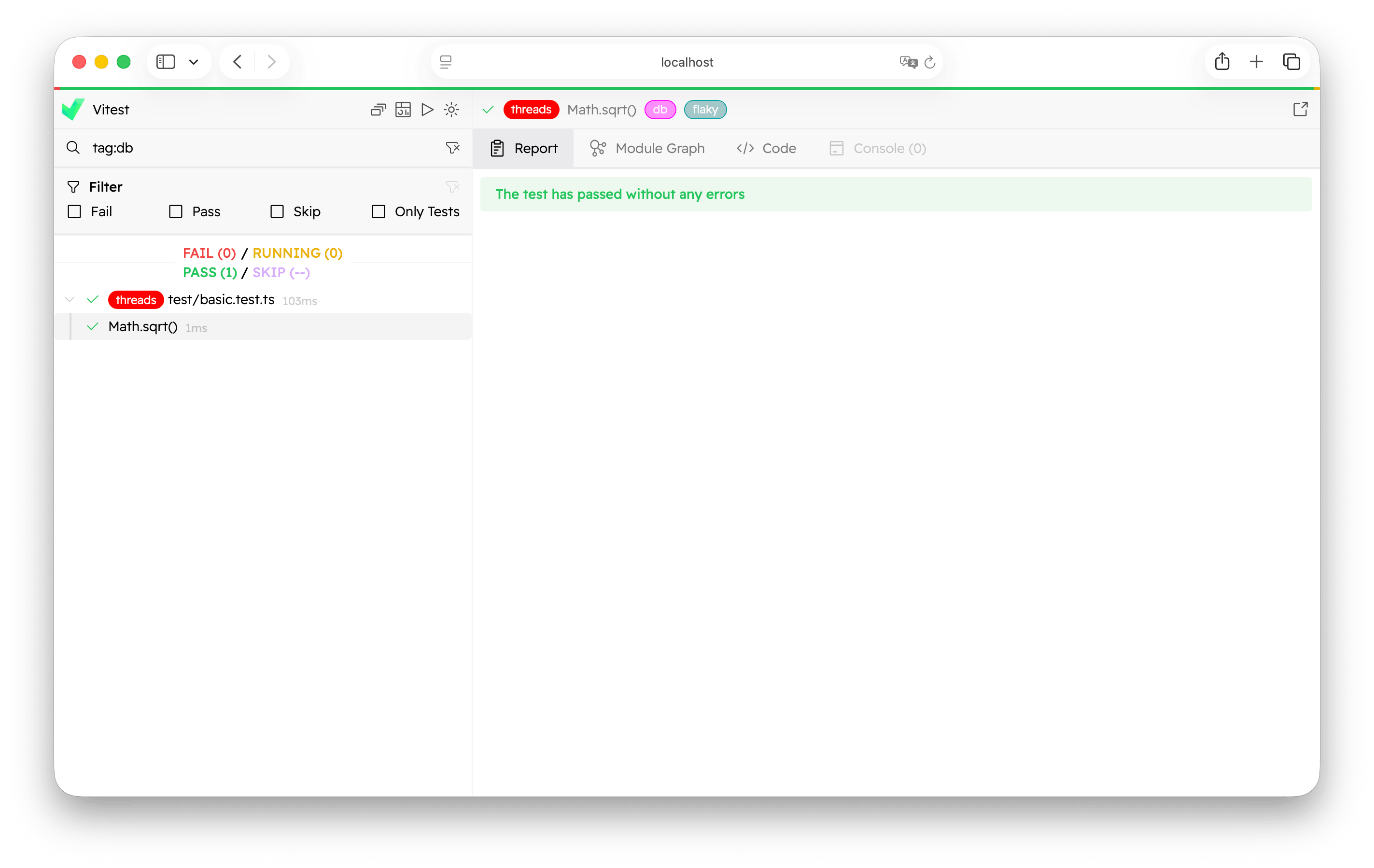
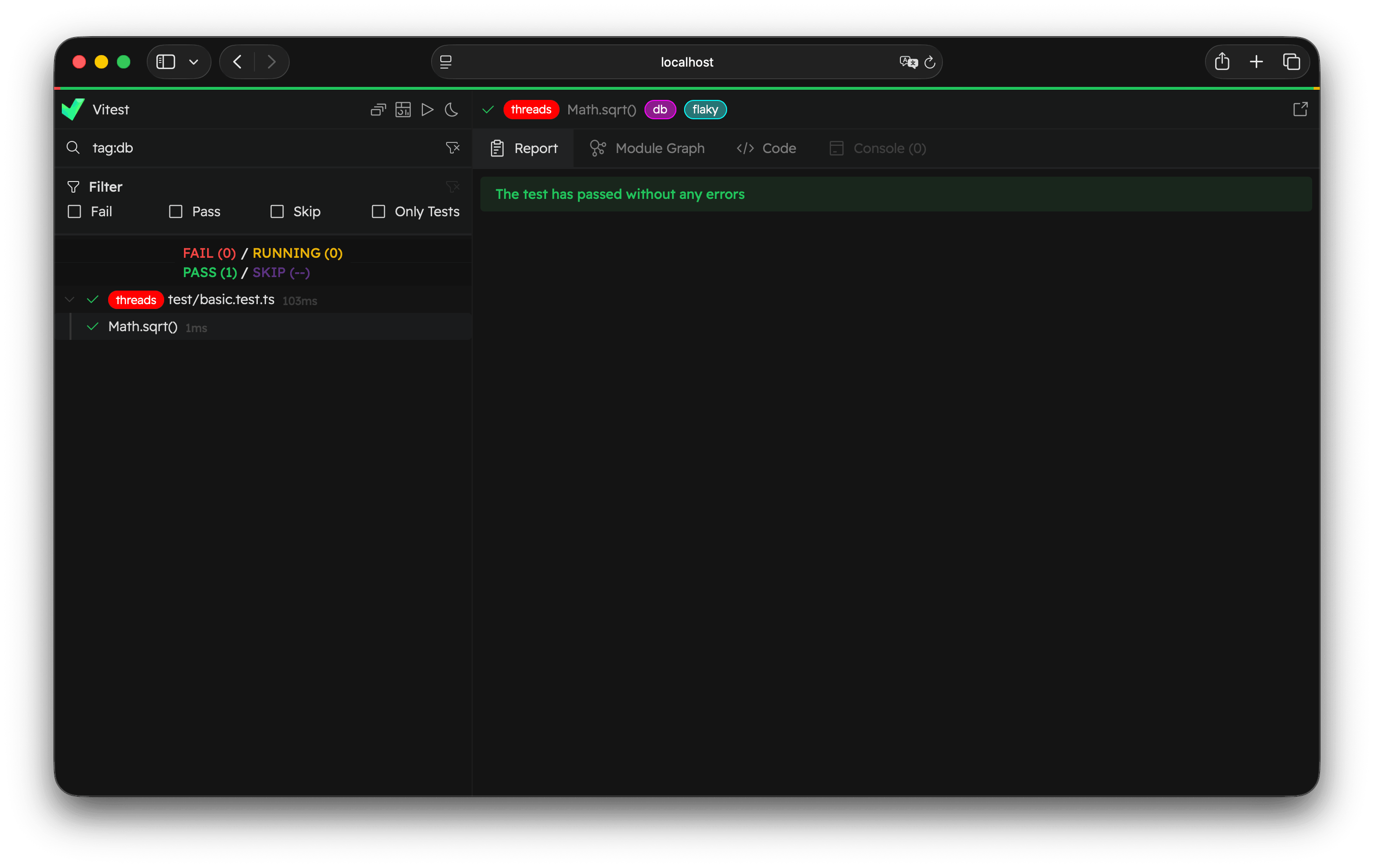
如果你使用编程式 API,可将 tagsFilter 参数传递给 startVitest 或 createVitest:
import { startVitest } from 'vitest/node'

await startVitest('test', [], {
  tagsFilter: ['frontend and backend'],
})
也可创建包含自定义筛选器的 test specification:
const specification = vitest.getRootProject().createSpecification(
  '/path-to-file.js',
  {
    testTagsFilter: ['frontend and backend'],
  },
)
语法
可通过多种方式组合标签。Vitest 支持以下关键字:
and或&&表示同时满足两个表达式or或||表示至少满足一个表达式not或!表示排除指定表达式*表示匹配任意数量字符(0 个或多个)()表示分组表达式并提升优先级
解析器将遵循标准 运算符优先级:not/! 优先级最高,其次是 and/&&,最后是 or/||。使用括号将提升优先级。
保留字
标签名称不能为 and, or, 或 not(不区分大小写),这些都是保留字。标签名称也不能包含特殊字符((, ), &, |, !, *,空格),这些字符已经被表达式解析器占用。
通配符
使用(*)可以匹配任意数量字符:
vitest --tags-filter="unit/*"将会匹配到类似 unit/components, unit/utils 等标签。
排除标签
在标签前添加感叹号(!)或使用 “not” 关键字可排除指定标签的测试:
vitest --tags-filter="!slow and not flaky"示例
以下是常见的筛选命令示例:
# 仅运行 unit 的测试
vitest --tags-filter="unit"

# 运行同时满足 frontend 和 fast 的测试
vitest --tags-filter="frontend and fast"

# 运行 unit 测试或 e2e 测试
vitest --tags-filter="unit or e2e"

# 运行除 slow 测试外的所有测试
vitest --tags-filter="!slow"

# 运行 frontend 且非不稳定的测试
vitest --tags-filter="frontend && !flaky"

# 运行匹配通配符模式的测试
vitest --tags-filter="api/*"

# 带括号的复杂表达式
vitest --tags-filter="(unit || e2e) && !slow"

# 运行数据库测试(PostgreSQL 或 MySQL)且非慢速的测试
vitest --tags-filter="db && (postgres || mysql) && !slow"
支持传递多个 --tags-filter 参数,它们会使用 AND 逻辑相组合:
# 运行(unit 或 e2e 测试)且非慢速的测试
vitest --tags-filter="unit || e2e" --tags-filter="!slow"
运行时检查标签过滤器
你可以使用 TestRunner.matchesTags 方法来检查当前标签过滤器是否匹配一组标签。该特性特别适用于按需执行高开销的初始化逻辑,当相关测试的标签被包含时才运行:
import { beforeAll, TestRunner } from 'vitest'

beforeAll(async () => {
  // 当使用 "vitest --tags-filter db" 时初始化数据库
  if (TestRunner.matchesTags(['db'])) {
    await seedDatabase()
  }
})
该方法接收一个标签数组作为参数,如果当前 --tags-filter 会包含带有这些标签的测试,则返回 true。如果未启用标签过滤器,则始终返回 true。 The method accepts an array of tags and returns true if the current --tags-filter would include a test with those tags. If no tags filter is active, it always returns true.
See also
- Per-File Isolation Settings and Parallel and Sequential Test Files use projects to partition tests by file. Reach for projects when categories need different runner settings rather than different timeouts or retries.
- Test Filtering covers
-t,--include, and the rest of the CLI filters. tagsandstrictTagsconfiguration reference.